
Text Studio · Windows 10 and 11
Text Studio: every text tool in one page
Paste or open your text once, then check its spelling and grammar, find a better word, count it, change its case, sort it, clean it up, find and replace in it, compare it with another version, or turn it into Morse code, binary or fancy letters. Each change works on the selection or the whole text, and Ctrl Z undoes it.
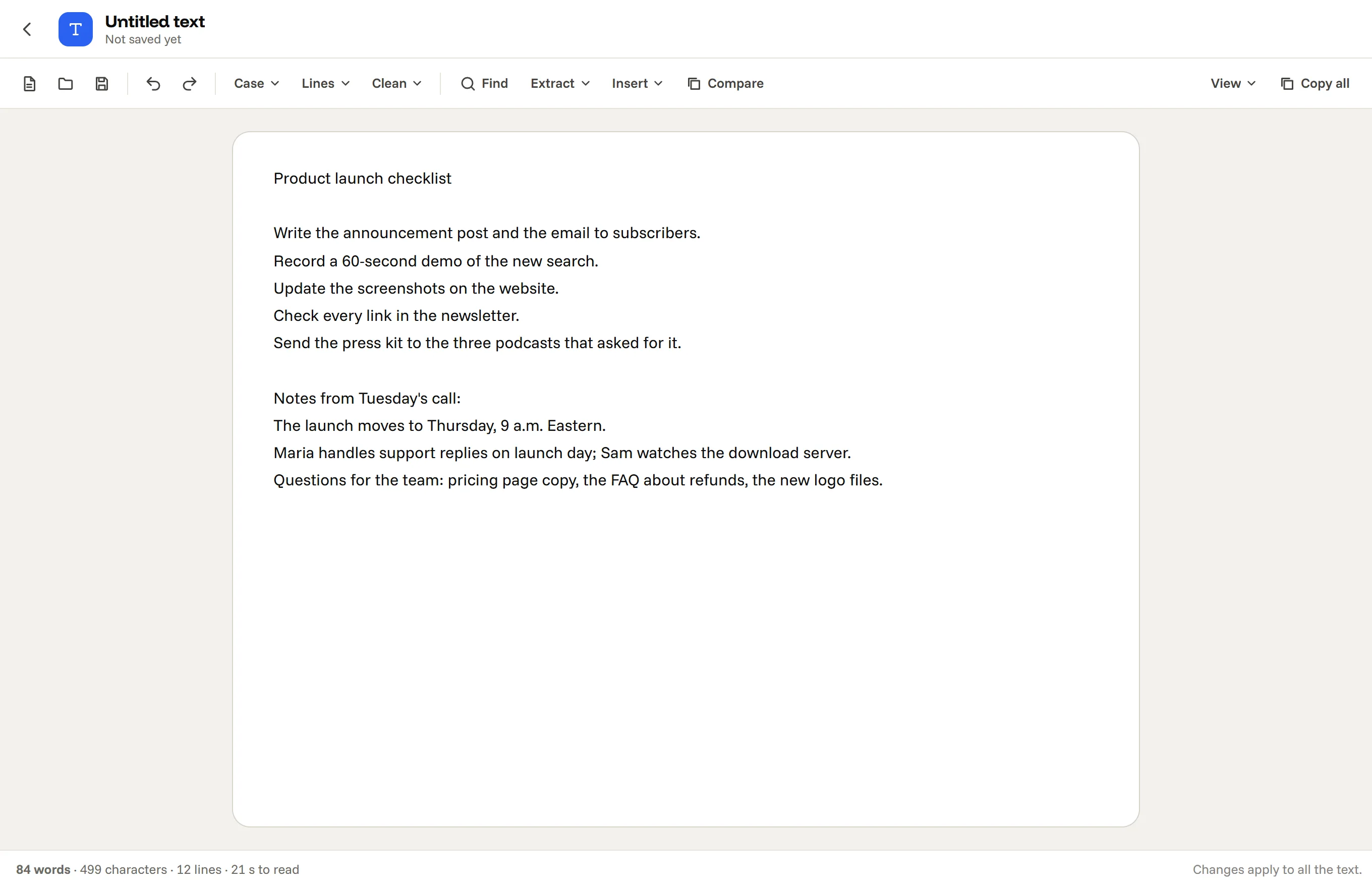
What you can do in the Text Studio
What is in it
- Word counter and character counter, with reading time.
- Case: UPPER, lower, Title, Sentence, camelCase, snake_case and more.
- Lines: sort, remove duplicates, number, reverse.
- Clean: line breaks, extra spaces, accents, HTML tags, curly quotes.
- Find and replace, compare two versions, extract emails and links, slugs and lorem ipsum.
- Check: a grammar checker that underlines spelling, grammar and style mistakes as you type.
- Words: a thesaurus that swaps a word in place, a word unscrambler and a Wordle helper.
- Convert: a Morse code translator with sound, a binary translator and a fancy text generator.
- Translate between 24 languages with AI on your PC, as you type, and whole Word files and PDFs.
Your text stays yours
Online text tools see everything you paste into them: drafts, customer lists, code, passwords in a config file. Text Studio works on your own computer and keeps your draft there as you type. Even the grammar checker and the thesaurus run on your PC, so nothing you write is sent anywhere. It opens and saves plain text files, from .txt and .md to .csv, .json, .html and .srt.
Questions, answered
Can I open a file instead of pasting?
Yes. Open or drop a text file (txt, md, csv, json, html, srt and more), work on it, and save it back.
Does it keep my text if I close it?
Yes. The draft is kept on your computer as you type, up to two million characters.
Does it work offline?
Yes, completely.
Can it translate?
Yes: Translate opens a panel beside the text. Each language downloads once (about 105 to 130 MB a direction), then translating works offline and nothing is uploaded. See the offline translator.
Does it check grammar?
Yes, in English: press Check and spelling, grammar and style mistakes are underlined as you type, with fixes to apply. It does not rewrite your sentences.
The Text Studio, and 16 more apps.
Download for Windows7 days free, then from $3.99 a month for all 17 apps. Windows 10 and 11.