
Documents · Windows 10 and 11
Documents: a word processor that speaks Word
Write a letter, a report or a résumé, open the .docx someone sent you, and save it back as a Word file they can open. Headings, lists, tables, pictures and spell check, without a Microsoft 365 subscription.
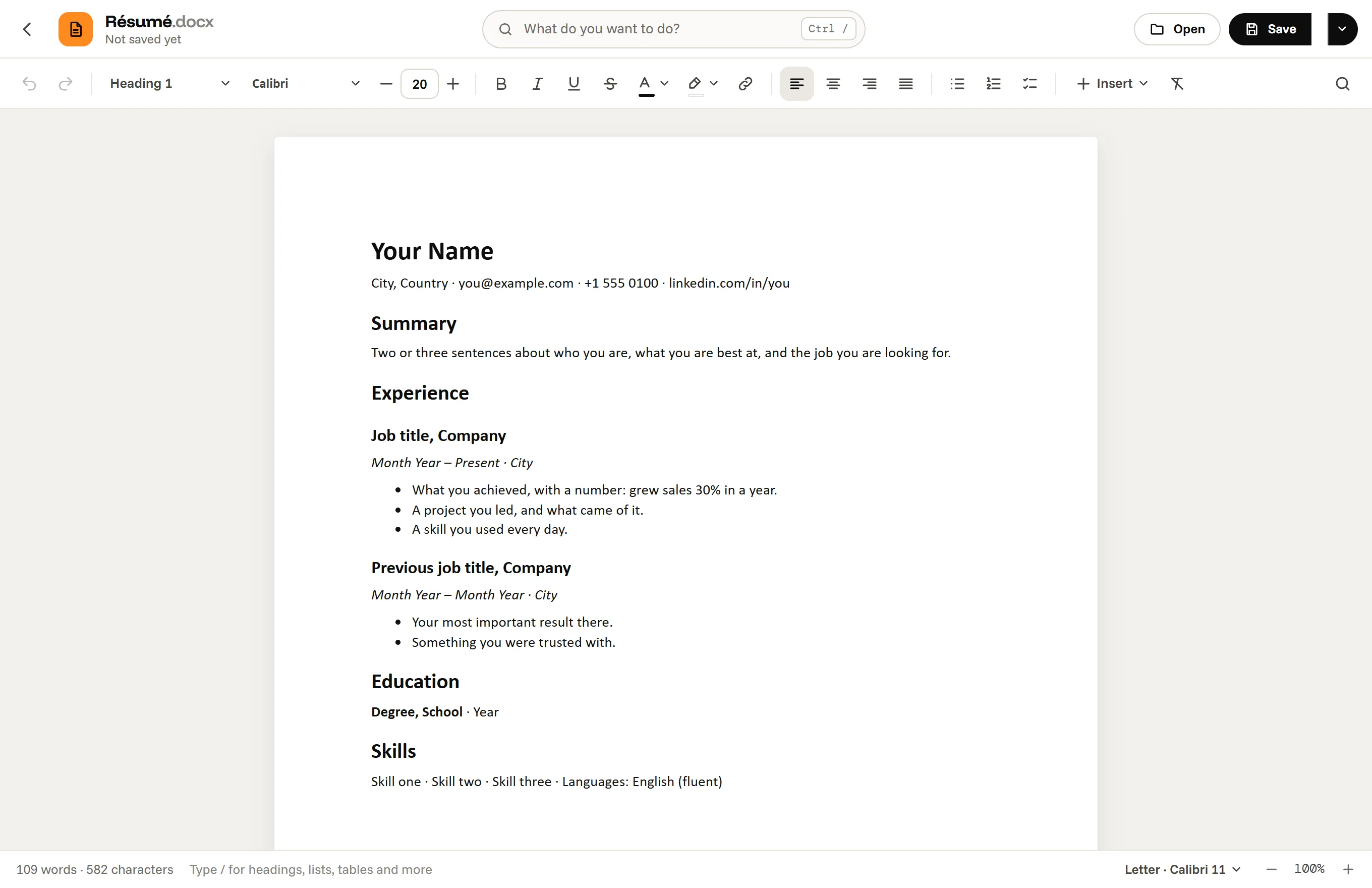
What you can do in it
- Text styles (Normal, Heading 1 to 3, Quote, Code), nine fonts from Calibri to Times New Roman, bold, italic, underline, colors, highlight and links.
- Bulleted and numbered lists and checklists, tables with merged cells, pictures, page breaks.
- Find and replace, a word and character count, Letter or A4 pages, spell check.
- A command search: press Ctrl / and type what you want to do.
Your work is kept as you type, so a crash or a closed window does not lose it.
Working with Word files
Documents opens .docx files and saves them as .docx, so you can trade files with people who use Microsoft Word. When a file uses something Documents does not do yet, such as headers and footers, footnotes or comments, it tells you as the file opens, and asks before saving over the original. It also opens Markdown, HTML and plain text and turns them into Word documents. Older .doc files have to be saved as .docx in Word first.
Questions, answered
Can I open a Word file without Microsoft Word?
Yes. Documents opens .docx files, shows their text, styles, lists, tables and pictures, and saves your changes as .docx.
Can it save as PDF?
Yes. Save as PDF… (Ctrl P) writes the PDF itself, at the document's page size; you only choose a name and a folder.
What does it not do yet?
Headers and footers, page numbers, footnotes, comments, tracked changes, columns and text boxes. It names them when a file has them.
Are my documents uploaded?
No. They are opened and saved on your computer only.
Documents, and 16 more apps.
Download for Windows7 days free, then from $3.99 a month for all 17 apps. Windows 10 and 11.