
PDF Editor · Windows 10 and 11
A PDF editor with every page in view
Open one PDF or several and every page sits in the page bar: drag them into order, turn them, delete them. Then type on them, highlight, sign, fill in the form, number the pages or stamp DRAFT across them, and save.
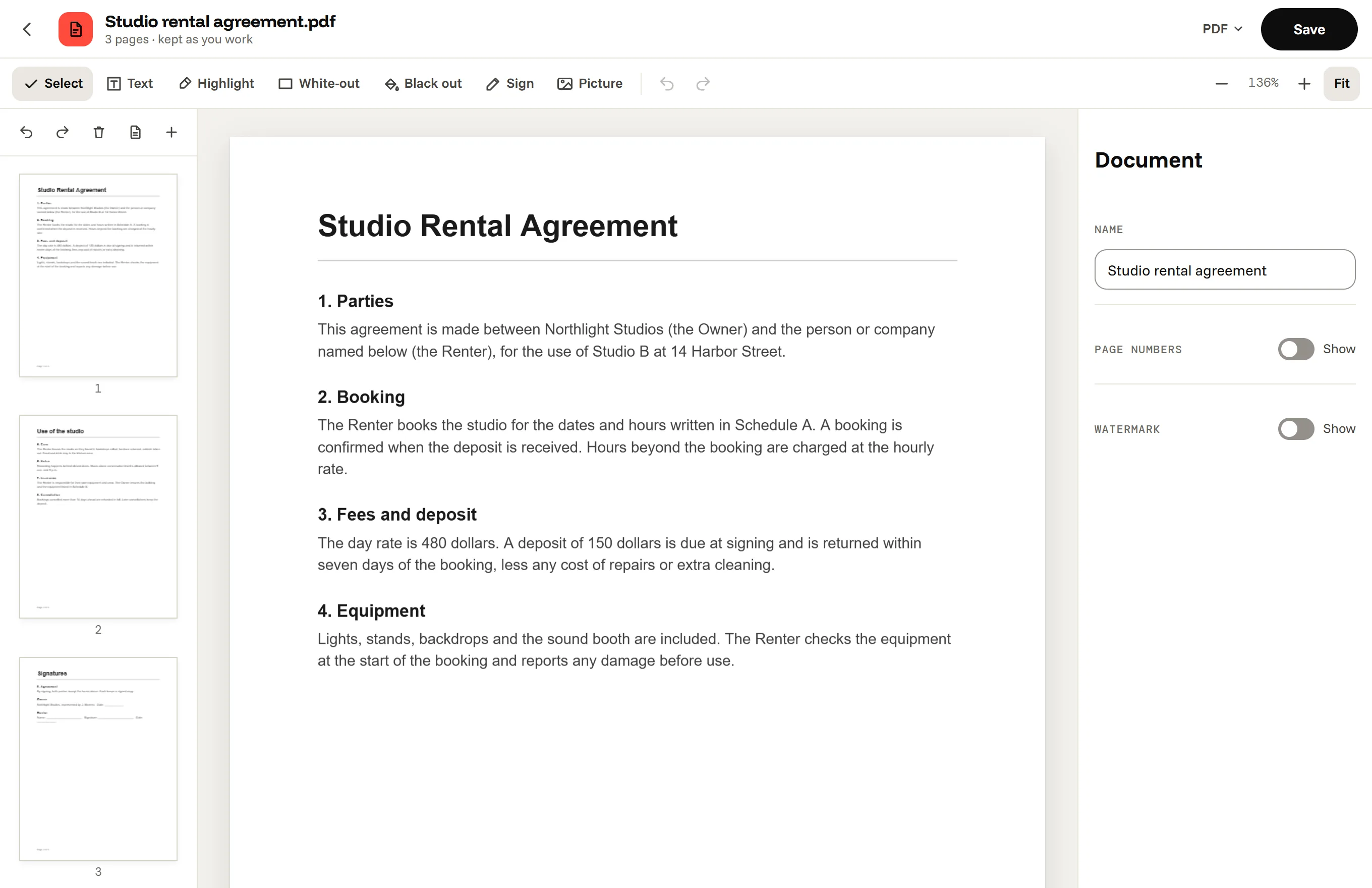
What you can do in the PDF Editor
The pages
The page bar on the left shows every page. Drag one to move it, Ctrl-click or Shift-click to pick several, then turn, delete or save them as a new PDF. Open several files at once, or drop more in, to merge them, and add blank pages or pictures wherever you need them.
- Reorder, turn and delete pages.
- Split it: the pages you pick as a new PDF, or every page as its own.
- Save the pages as pictures, and turn pictures into a PDF.
On the pages
The toolbar has Text, Highlight, White-out, Black out, Sign and Picture. Click anywhere to type, even on a scan or a form that is not fillable, and drag what you added to move it. Sign by drawing with the mouse, a pen or the touchpad, or by typing your name in a handwriting font; Octoolo remembers your last three signatures. The right panel adds page numbers and a watermark to every page, and lists the fields of a fillable form.
When you keep a PDF's pages in their order, Octoolo builds the saved file from the original PDF itself, so its links, bookmarks and form stay as they were.

Questions, answered
Can it change the existing text of a PDF?
Not in the original font. You can cover words with White-out and type new ones on top in one of three standard fonts, which works well for dates, names and amounts.
Can it compress, lock or convert PDFs to Word?
Not yet. Making PDFs smaller, adding and removing passwords, turning PDFs into Word files and making scans searchable are on their way in free updates.
Is a drawn signature legally valid?
Drawn and typed signatures are widely accepted for everyday agreements, but some documents need a certificate-based digital signature, which Octoolo does not make. When in doubt, ask whoever asked you to sign.
Does it work without the internet?
Yes. The PDF Editor runs on your computer, and your PDFs are never uploaded.
Which files does it open?
PDFs, and JPG, PNG, WebP, GIF and BMP pictures, which become pages. PDFs that need a password to open cannot be opened.
The PDF Editor, and 16 more apps.
Download for Windows7 days free, then from $3.99 a month for all 17 apps. Windows 10 and 11.