
Files · Windows 10 and 11
Files: compress, extract and lock
One page, four doors: Compress files and folders into a ZIP or 7Z, Extract what is in a ZIP, RAR, 7Z, TAR or GZ file, Lock files and folders with a password, and Unlock them again. Or skip the window: right-click a file or folder in File Explorer and pick from the Octoolo menu.
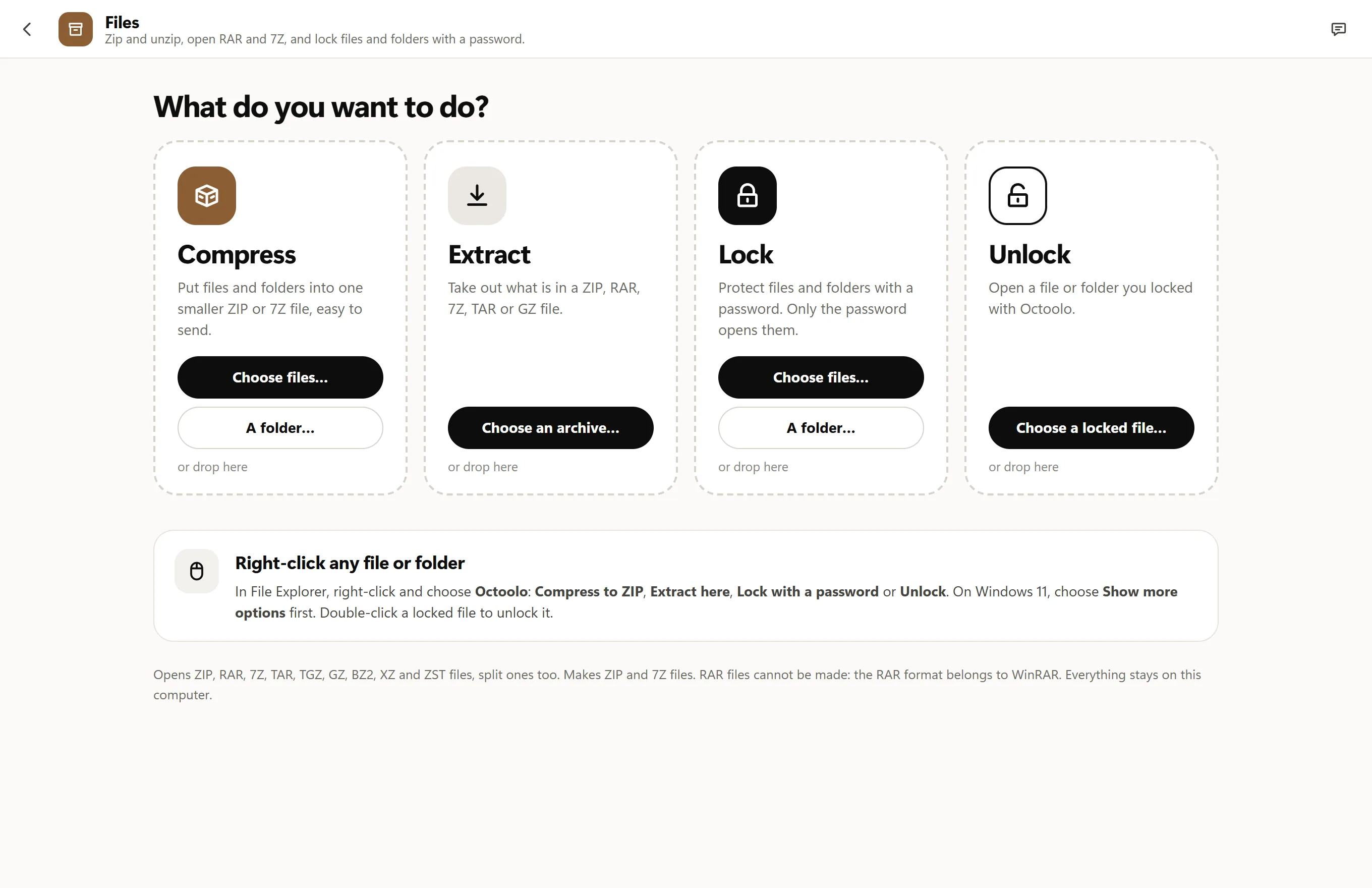
What you can do in Files
Compress and extract
Choose an archive under Extract and Files lists its folders and files with their sizes, dates and locks, and offers to take everything out into a new folder beside it, or only what you tick. It opens ZIP files, RAR files (RAR 4 and 5, split into parts too), 7Z files and TAR files compressed with gzip, bzip2, XZ or Zstandard, with or without passwords. Test checks a whole archive without writing anything.
Under Compress, zip files and folders into a ZIP anyone can open, or make a 7Z when size matters, at Fast, Normal or Smallest, and add an AES-256 password to either. The originals stay as they are, and nothing is written over. RAR and 7Z files you have can become ZIPs in one click: RAR to ZIP, 7Z to ZIP. Only RAR files cannot be made, since that format is WinRAR's alone.
Lock and unlock
Lock a folder or password-protect a file and it becomes one locked file where it was, such as Photos.olock, that shows nothing of what is inside, not even the names: only its own name, its size and your hint. The key is made from the password with Argon2id and the content is encrypted with XChaCha20-Poly1305. The original is removed only after the locked file has been read back and compared with it. Unlocking, with a double-click, brings it back as it was.
There is no recovery: Octoolo keeps no copy of the password and uploads nothing, so if the password is forgotten, nobody can open what was locked, not even Octoolo. Keep it written down, or in Passwords.
From File Explorer's menu
Right-click a file or folder in File Explorer and choose Octoolo: Compress to ZIP makes Photos.zip beside it at once, Compress… opens the Compress view to choose ZIP or 7Z, a name and a password, and Lock with a password… locks it. Archives add Extract here and Open in Octoolo…, and locked files Unlock…. They open in a small Files window of their own, so whatever you have open in Octoolo stays as it is.
On Windows 11 the menu is under Show more options (or Shift+F10), because Windows 11's short menu only lists apps installed as signed packages. Archives also list Octoolo under Open with, but what opens them by default does not change. Turn the menu off in Settings › File Explorer or with the switch on the Files home; uninstalling Octoolo removes it.
Safe with archives from anywhere
Archives can be made to cause harm: names that climb out of the folder (..\..\Windows), links to other places, or a small file that unpacks to fill the disk. Files leaves such names and links out, checks the free space before and while it writes, never writes over a file unless you say so, and keeps Windows' download mark on what comes out of a downloaded archive. Programs inside an archive never run by themselves: opening one asks you first.

Questions, answered
Which formats does it open?
ZIP, RAR, 7Z, TAR, TAR.GZ (TGZ), TAR.BZ2, TAR.XZ, TAR.ZST, and single GZ, BZ2, XZ and ZST files. Split archives open too: .part1.rar and .7z.001 style.
Which formats does it make?
ZIP and 7Z, and its own locked files (.olock). RAR files can be opened but not made: creating them is reserved to WinRAR.
Does it add itself to File Explorer's right-click menu?
Yes: an Octoolo menu with Compress to ZIP, Extract here, Lock with a password… and more. On Windows 11 it is under Show more options. Turn it off in Settings › File Explorer or on the Files home.
Can I open a locked file without Octoolo?
No. A .olock file opens only in Octoolo, with its password. If Octoolo is uninstalled, locked files stay locked until it is installed again.
Are my files uploaded?
No. Everything is read, packed, unpacked, locked and unlocked on your own computer.
Files, and 16 more apps.
Download for Windows7 days free, then from $3.99 a month for all 17 apps. Windows 10 and 11.